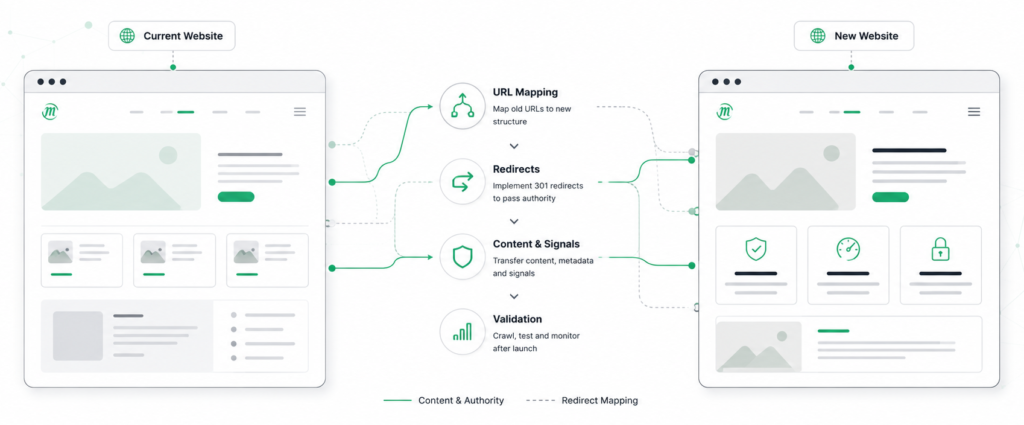

Changing URLs doesn’t make the old ones go away. They may still be indexed by Google, linked from other sites or saved in people’s bookmarks. Before a new site launches, every one of them needs a planned destination, or a deliberate decision that it won’t have one.
That process is URL mapping. On a small site, it’s routine. On a large ecommerce site with years of redesigns behind it, it’s one of the steps where migrations can go wrong, and the traffic impact can last well beyond launch.
What Is URL Mapping?
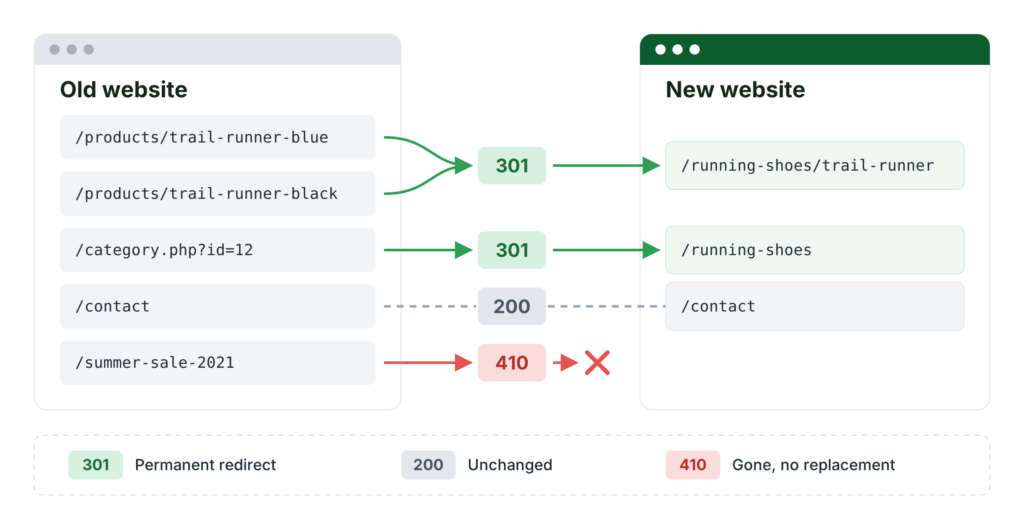
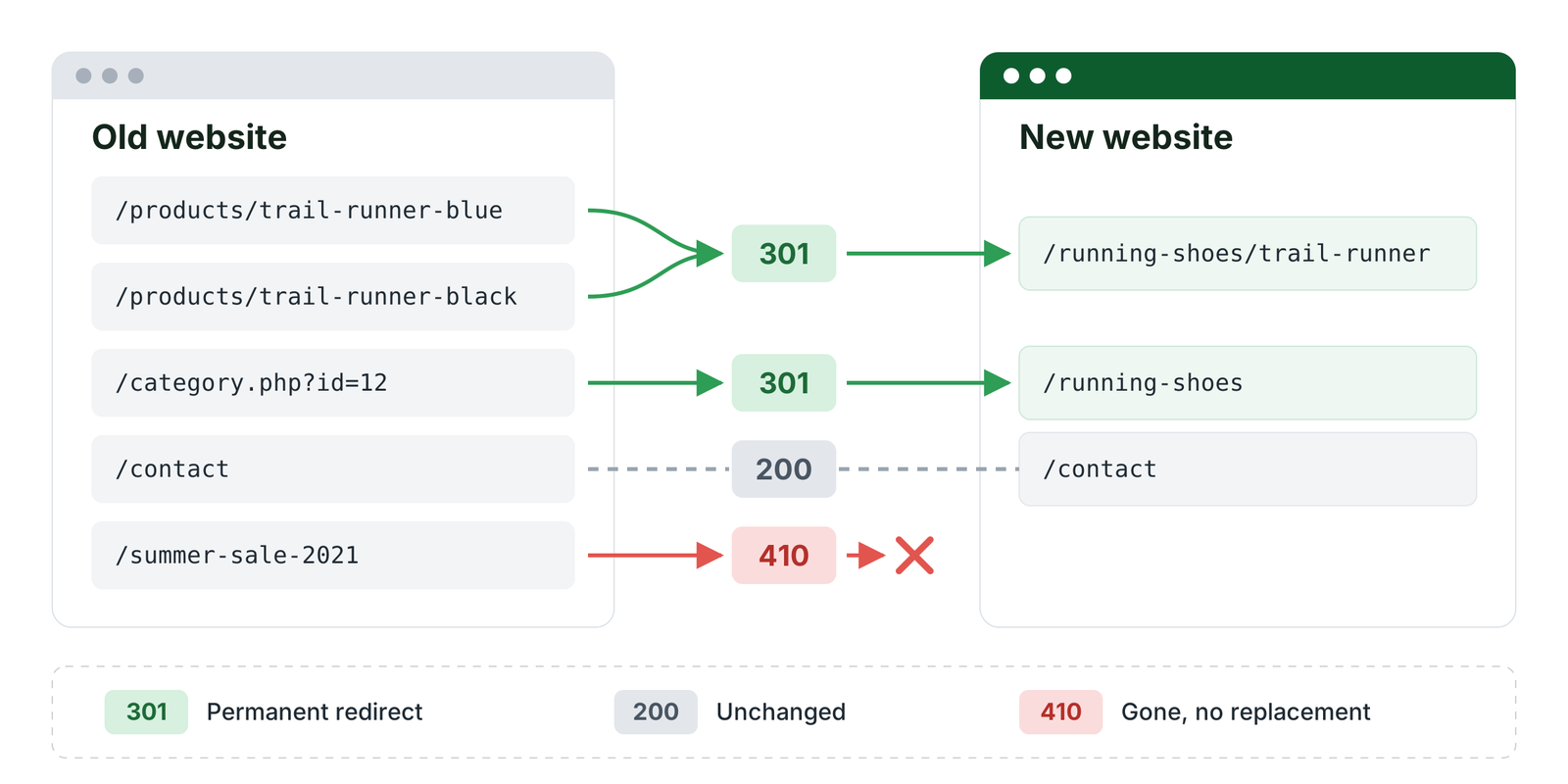
URL mapping is the process of deciding what happens to each existing URL when a site changes its structure, domain or platform. URLs that change typically get a permanent redirect to their new equivalent. URLs that don’t change stay as they are. Some are retired on purpose.
The output is usually a spreadsheet with one row per old URL, its new destination and the HTTP status code the old URL will return. A simplified example for an online shop:
A simplified example of a URL mapping:
| Old URL | New URL | Status code of old URL |
|---|---|---|
/about-us |
/company/about |
301 |
/blog/2021/03/seo-tips |
/blog/seo-tips |
301 |
/product.php?id=482 |
/shop/running-shoes |
301 |
/services/seo-audit |
/services/seo |
301 |
/contact |
/contact |
200 (unchanged) |
/summer-sale-2021 |
None | 410 |
Google’s site move documentation treats mapping as its own step, completed before redirects are implemented.
The term redirect mapping is often used interchangeably, but it’s narrower. It only covers URLs that will redirect. URL mapping also accounts for the URLs you keep and the ones you remove, such as /contact and /summer-sale-2021 in the table above.
Why URL Mapping Matters for Rankings
A 301 or 308 redirect signals to Google that the destination should be treated as the canonical URL and shown in search results in place of the old one. Google has also stated that permanent redirects don’t result in a loss of PageRank.
That doesn’t mean a redirect protects rankings on its own. If an old product URL points to a page that no longer matches what searchers were looking for, the redirect works as intended and the page can still lose visibility. The choice of destination matters as much as the redirect itself.
Where URL Mapping Gets Complicated
Finding all existing URLs
A mapping is only as complete as the URL list behind it. Crawlers discover pages through internal links, so orphaned pages, old landing pages and URLs that dropped out of the navigation years ago won’t appear in a standard crawl. Some of them still receive organic traffic or have external links. Google recommends combining multiple sources to build the URL inventory and including non-HTML resources such as images and PDFs.
Choosing destinations when no equivalent exists
Discontinued products, expired campaigns and removed sections all leave URLs without a natural replacement. Redirecting them to the homepage is a common shortcut, but Google advises against it: irrelevant redirects confuse users and can be treated as soft 404s. In many cases, a 404 or 410 is the better choice.
The difficult part is judging whether a new page actually replaces the old one or just covers a related topic. That depends on the content and the search intent behind it, not on how similar the URLs look.
Consolidating multiple pages
In the example above, the blue and black versions of a running shoe both redirect to a single product page. That works as long as the new page covers both variants, and Google confirms that redirecting to a consolidated page is appropriate in that case. Merging articles or service pages is harder to get right. Pages on similar topics can still rank for different queries, so check their search performance before combining them.
Common URL Mapping Mistakes
- Using 302 or 307 redirects for a permanent move. Temporary redirects don’t signal that the destination should become canonical, so the old URL can remain in search results.
- Redirect chains. Google recommends redirecting directly to the final URL. Each additional hop adds latency and makes the configuration harder to maintain.
- Redirects to URLs that don’t exist on the new site, a mistake Google says it frequently sees.
- Internal links and XML sitemaps that still reference old URLs, forcing users and crawlers through unnecessary redirects.
- Canonical tags and hreflang annotations that weren’t updated to the new URLs.
- No redirect testing after launch, so errors can go unnoticed until traffic drops.
Getting URL Mapping Right
URL mapping takes careful planning, especially on sites that have grown over many years. Not every URL has an obvious replacement, and many decisions depend on traffic, backlinks and content that need to be reviewed case by case. Resolving those questions before launch is far easier than recovering lost visibility afterwards.
Planning a website migration?
we can review your existing URLs, identify the difficult cases and help you plan a mapping that holds up after launch.
Read Our Latest Articles
Lorem ipsum purus eu id enim sit rhoncus ut eu dapibus neque eu ipsum mauris rhoncus lorem iaculis varius non arcu lectus potenti felis ac arcu ac porttitor feugiat sed velit felis sed tortor faucibus semper quis leo in dictumst malesuada lacinia urna nulla vitae ornare scelerisque